
Creating and Using Channels
Carry platform conventions, accessibility requirements and safe zones for where the work will live.
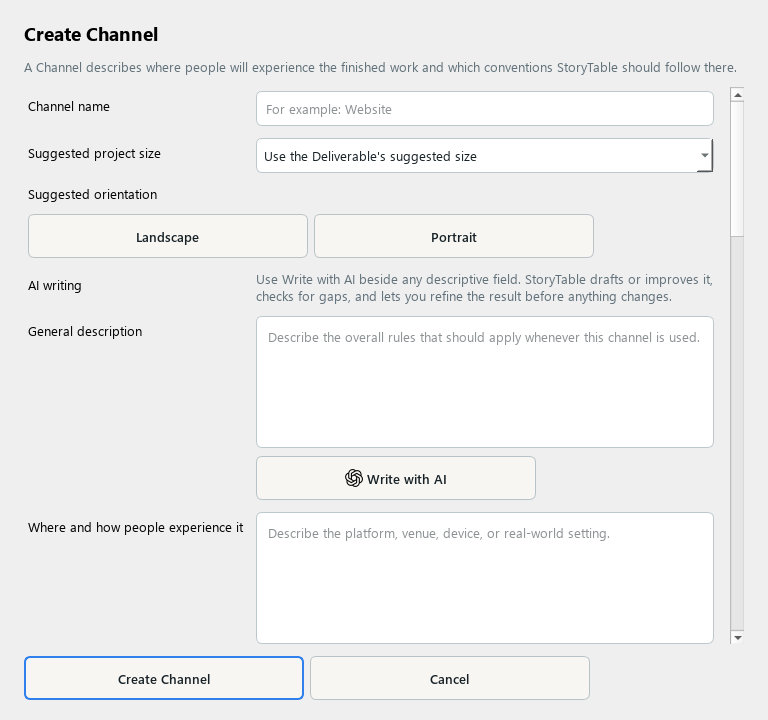
A Channel records the viewing and distribution context for an output.
1. Create a channel
In Library, choose Channel and create a new item. Name the destination or viewing context.
2. Describe the experience
Explain where and how people encounter the work and what belongs in the finished output. Describe how the audience uses it.
3. Set presentation constraints
Review suggested size and orientation, safe areas and layout, and supporting material. Write down constraints that matter in the actual viewing context.
4. Include access and distribution needs
Add accessibility, discovery, distribution, and attention guidance. Keep requirements specific and avoid assuming every platform uses the same format.
5. Save and apply
Save the channel and select it for the intended project output. Preview the result at an appropriate size and check readability before exporting.
Check your result
The selected channel helps the work fit its destination and the audience’s viewing conditions.