
Creating and Using Character Visual Styles
Style a character independently of the project style, so a drawn figure can live in a photoreal world.
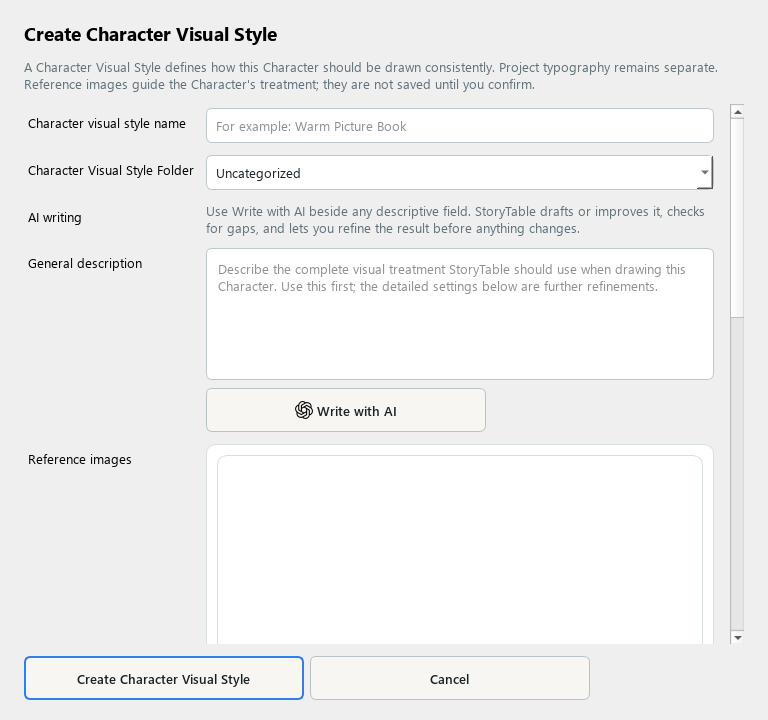
A Character Visual Style controls a character’s rendering treatment independently of the project’s overall visual style.
1. Create the style
In Library, choose Character Visual Style and create a new item. Use a name that describes the treatment.
2. Describe the character rendering
Specify proportions, shape language, line, texture, shading, and color treatment in General description. Keep the description separate from the identity of one particular character.
3. Use references carefully
Add reference images and describe the visual qualities to learn. If you analyze the images, review the resulting instructions and remove unwanted subject-specific details.
4. Save the style
Choose Create Character Visual Style. Typography belongs to the project’s presentation choices, so keep this style focused on the character rendering.
5. Apply it to a character
Create or edit a Character, select this character visual style, and review it in a project. Check that the character remains recognizable in the project’s surrounding visual world.
Check your result
The character treatment is reusable and does not accidentally redefine the character’s identity.