
Creating and Using Page Layouts
Build reusable compositional patterns rather than one-off page designs.
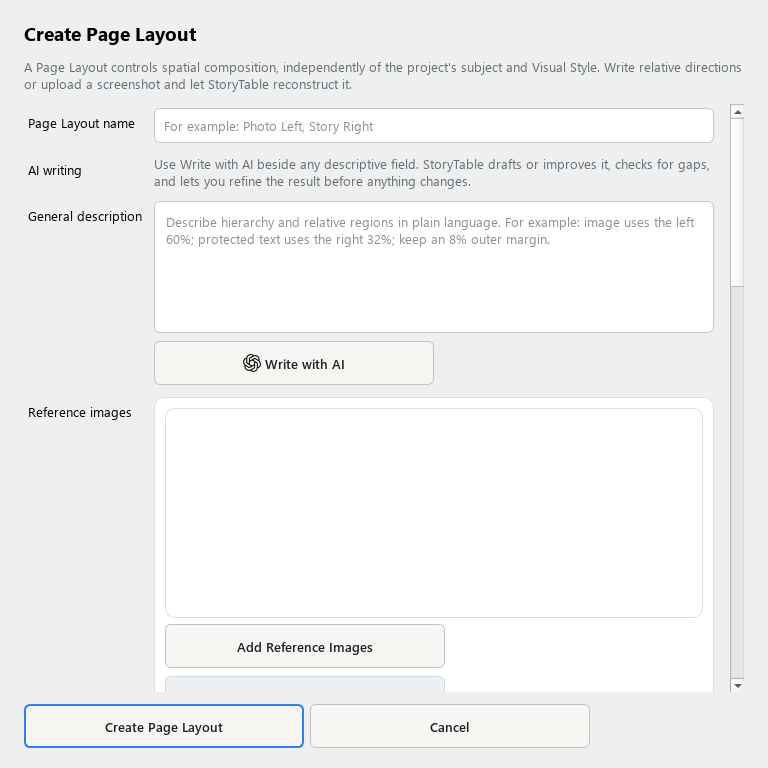
A Page Layout captures a reusable composition for a particular kind of page.
1. Create a layout
In Library, choose Page Layout and create a new item. Name the composition and describe its purpose.
2. Describe its role
Set the primary page role, what the layout is best for, outputs and channels, and the intended composition. Explain where the main image and text should sit.
3. Use references
Add reference images if you have examples. Use Create Layout from Selected Images when useful, then review the detected regions rather than accepting them blindly.
4. Check orientations
Review the landscape, portrait, and square arrangements that apply. Use Advanced Layout Controls where needed to refine the composition.
5. Save and test
Choose Create Page Layout and use it for a suitable page or template. Preview real content in the layout and check text fit, hierarchy, and safe spacing.
Check your result
The layout works with real content and has a clear role in the overall page sequence.