
Creating and Using Presets
Bundle a goal, deliverable, channel and voice into one reusable setup.
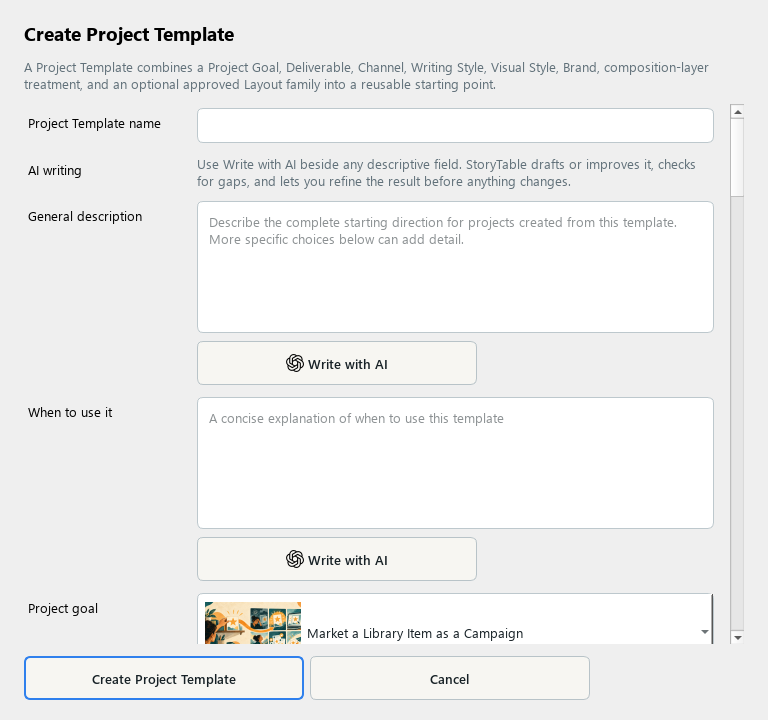
Presets bundle recurring project choices so you can start a familiar kind of work consistently. The editor may label the underlying item Project Template.
1. Start from a useful setup
In Plan → Project Setup, apply a close preset and adjust the project choices. Use Save as New Preset to capture a setup you want to reuse, or create a Project Template in Library.
2. Describe its purpose
Give the template a recognizable name, a General description, and a clear When to use it explanation.
3. Set the reusable choices
Choose the project goal, deliverable, channel, usual audience, writing style, visual style, and brand as appropriate. Leave genuinely variable choices flexible.
4. Review routing and layout rules
Review Text Routing and Density, caption and evidence rules, and layout preferences. Keep limits realistic for the chosen output and avoid conflicting instructions.
5. Save and test
Save the item, then use Browse All Presets… in a project and Apply Preset. Review the resulting choices before creating a page plan.
Check your result
The preset saves repeated setup work while leaving project-specific source material and intent clear.