
Creating and Using Visual Styles
Build a reusable visual treatment — medium, line, palette, lighting — and apply it across a project.
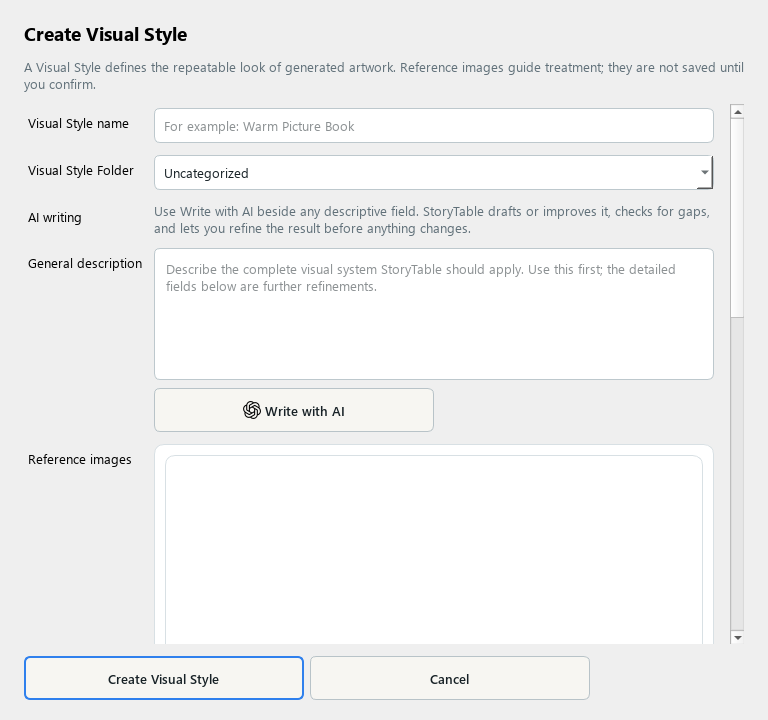
A Visual Style describes how images look and can be reused across projects.
1. Open the editor
Open Library, select Visual Style, and create a new item. Give it a descriptive name you will recognize later.
2. Describe the treatment
In General description, describe medium, line quality, texture, palette, lighting, and framing. Focus on the visual treatment rather than the identity of a specific subject.
3. Add references if useful
Choose Add Reference Images for examples you have permission to use. Explain what to learn from them, then use Analyze Selected Images if you want assistance. Review the suggested description before saving.
4. Refine and save
Review Advanced Settings if needed, then choose Create Visual Style. Keep the description specific enough to produce a coherent family of images.
5. Use it in a project
In Plan → Style the Presentation, select the saved Visual Style. Generate a small sample and review how well the treatment carries across different subjects.
Check your result
The saved style describes a reusable visual language and is selected in the intended project.