
Defining Audience and Purpose
Tell StoryTable who the work is for and what it needs to do — once, so it carries across every output.
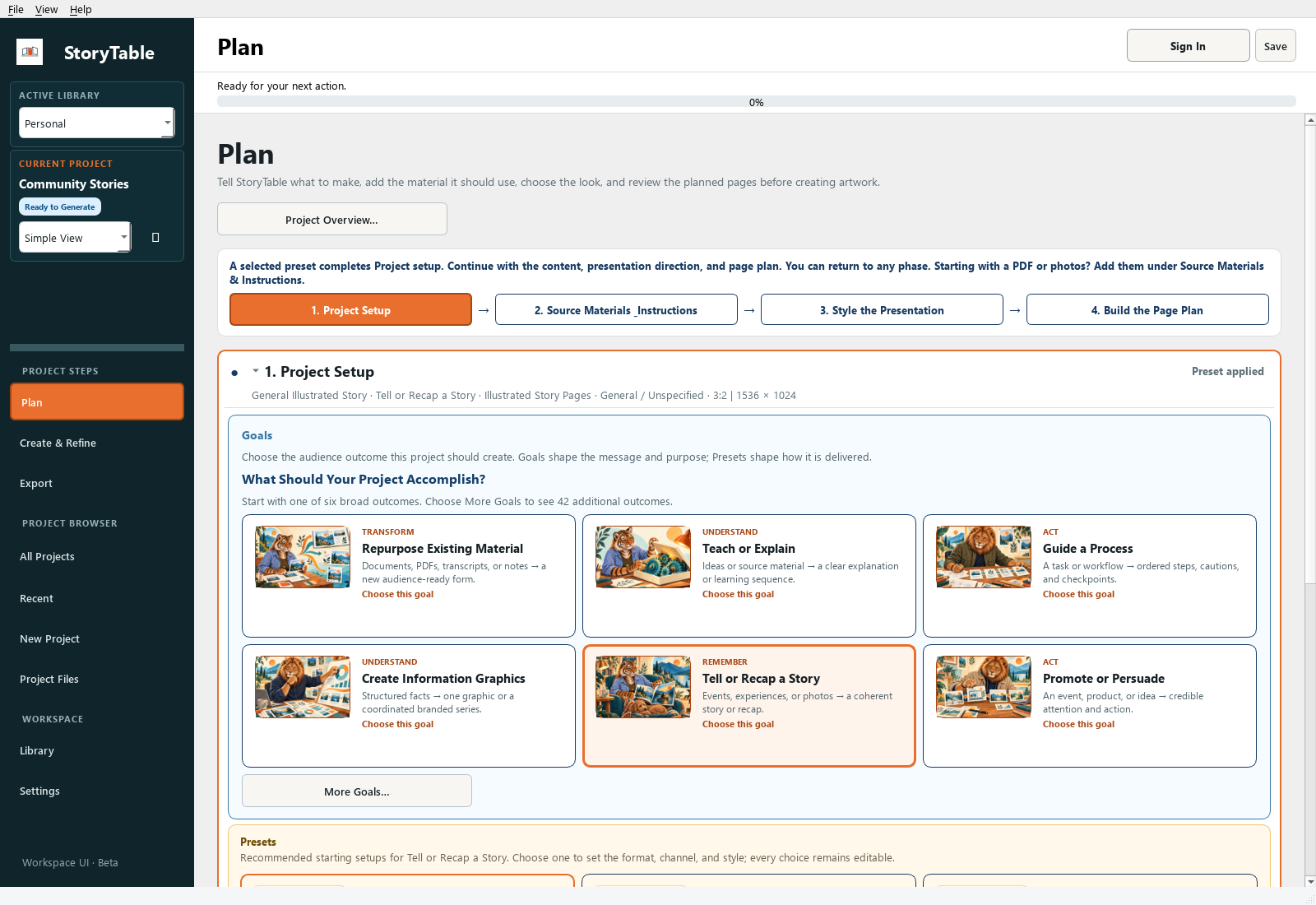
An audience and a communication goal give every page a consistent reason to exist.
1. Choose the communication goal
In Plan → Project Setup, choose a goal such as Teach or Explain, Guide a Process, Tell or Recap a Story, or Promote or Persuade. Use More Goals… for other choices.
2. Choose a useful starting preset
Use Browse All Presets… if the visible choices do not fit. Apply a preset that is close to the task, then review the choices it brings into the project.
3. Write a concrete brief
In Source Materials & Instructions, describe who will read or watch the work, what they already know, and what they should understand or do afterward. Example: ‘Introduce this process to new volunteers who have never used it.’
4. State the boundaries
Specify the desired emphasis and anything that must stay true: terminology, dates, evidence, tone, or topics to omit. Keep source facts distinct from creative presentation instructions.
5. Check the planned pages
Review the page outline. Ask whether the sequence answers the audience’s questions in the right order. Adjust the plan before generation.
Check your result
You can describe the intended audience and outcome in one sentence, and each planned page supports that outcome.