
Planning Before You Generate
Review and edit the structure before a single image is made.
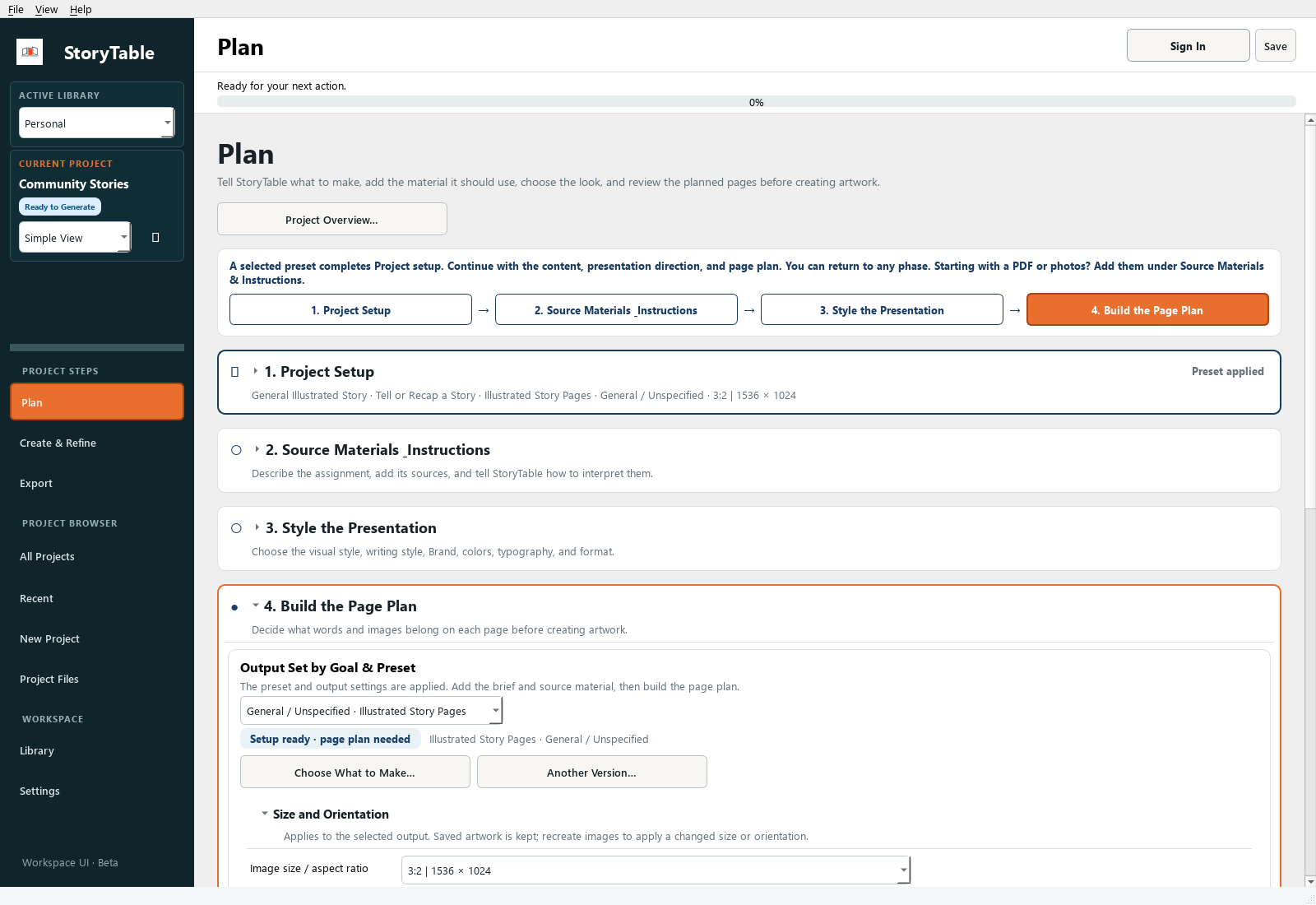
Use the page plan to resolve structure, scope, and emphasis while changes are still easy.
1. Finish the inputs
In Plan, review Project Setup, Source Materials & Instructions, and Style the Presentation. Confirm the source, goal, writing style, and visual direction.
2. Choose the output
Open Build the Page Plan. Use Choose What to Make… to review the deliverable and channel. Check Size and Orientation for the intended viewing context.
3. Inspect the page outline
Expand Page Outline. Read the sequence from beginning to end. Look for missing setup, repeated ideas, abrupt transitions, and pages with too much to communicate.
4. Revise the plan
Edit the page instructions so each page has a clear job. Keep factual requirements explicit and separate them from optional visual suggestions.
5. Generate only after review
Move to Create & Refine once the plan is coherent. If you change the audience or output substantially, return to the plan and review it again.
Check your result
The page sequence tells the intended story without relying on generated artwork to repair a weak structure.